
MTPSync
MTPSync is used to syncronize files/music with a MTP device (as supported by libmtp)
Current Version: 0.8 Download: mtpsync_0.8.orig.tar.gz mtpsync_0.8-1_amd64.deb
Currently implemented
- Graphical or console interface
- Syncronising Music
- Syncronising Playlists (local playlists stored in m3u format)
- Syncronising Videos
- Syncronising Zencasts
- Syncronising Organiser (calendar/contacts/tasks)
- Syncronising Pictures
Usage
MTPSync runs in X or console-mode.
To use you can either run with no options, in which case the GUI starts
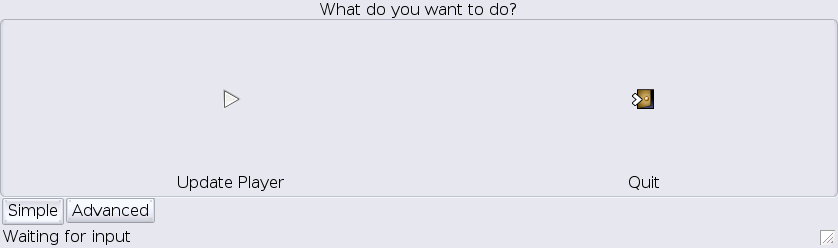 On first load there are two buttons, “Setup” and “Quit”
Use the setup button to configure what you wish to sync and from where
Once this is done the “Setup” button becomes the “Update” button
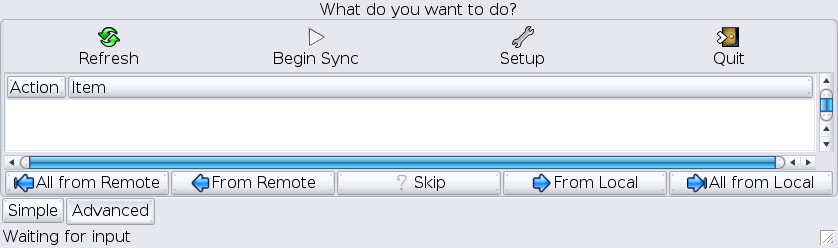
If you need to change options in the future you can get back to the setup dialog by clicking on “Advanced” at the bottom"
You can also click “Advanced” to provide more control over individual files to syncronise (using the buttons in that section)
On first load there are two buttons, “Setup” and “Quit”
Use the setup button to configure what you wish to sync and from where
Once this is done the “Setup” button becomes the “Update” button
If you need to change options in the future you can get back to the setup dialog by clicking on “Advanced” at the bottom"
You can also click “Advanced” to provide more control over individual files to syncronise (using the buttons in that section)
 If you wish you can use the -c option to run from the console.
If you run from the console you will need to set some paths to whatever you wish to sync.
If you wish you can use the -c option to run from the console.
If you run from the console you will need to set some paths to whatever you wish to sync.
The supported options are:
-c, --console   - Run in console
-m, --music  - Path to Music
-p, --playlists  - Path to Playlists
-i, --images  - Path to Photos/images
-v, --videos  - Path to Videos
-o, --organizer  - Path to Organizer
-z, --zencast  - Path to Zencasts
For example to sync your music in /usr/local/music you would run mtpsync –music=/usr/local/music To sync your photos/pictures which are sitting in /usr/local/photos you run mtpsync –images=/usr/local/photos You can combine as many options as you want into one big command even. For example I run mtpsync -i /home/cjd/Media/Resized -o /home/cjd/Media/Zen/Organizer -m /home/cjd/Media/Music -v /home/cjd/Media/Zen/Videos -p /home/cjd/Media/Playlists This syncs my images in /home/cjd/Media/Resized, calendar in /home/cjd/Media/Zen/Organizer, music in /home/cjd/Media/Music, videos in /home/cjd/Media/Zen/Videos and playlists in /home/cjd/Media/Playlists Note that playlists should be in m3u version 1 format (ie one track per line which is simply the filename relative to the basepath of your music) Anything you put in the organizer path is synced to /My Organizer on your device so you can place a ical or vcf file here as needed
Compiling
To compile you need the devel packages for gtk+-2.0, gconf-2.0, mad, libusb, id3tag, libmtp and readline Once you have all them it should be a simple matter of running ./configure;make;make install